Visitors change language with the switcher. Each link goes to the same page in the other language, and search engines can follow it.
Pick a style
Go to Translate → Settings → Switcher. Every shortcode is listed with a live preview, so you can copy the one you want into any page, widget or template.
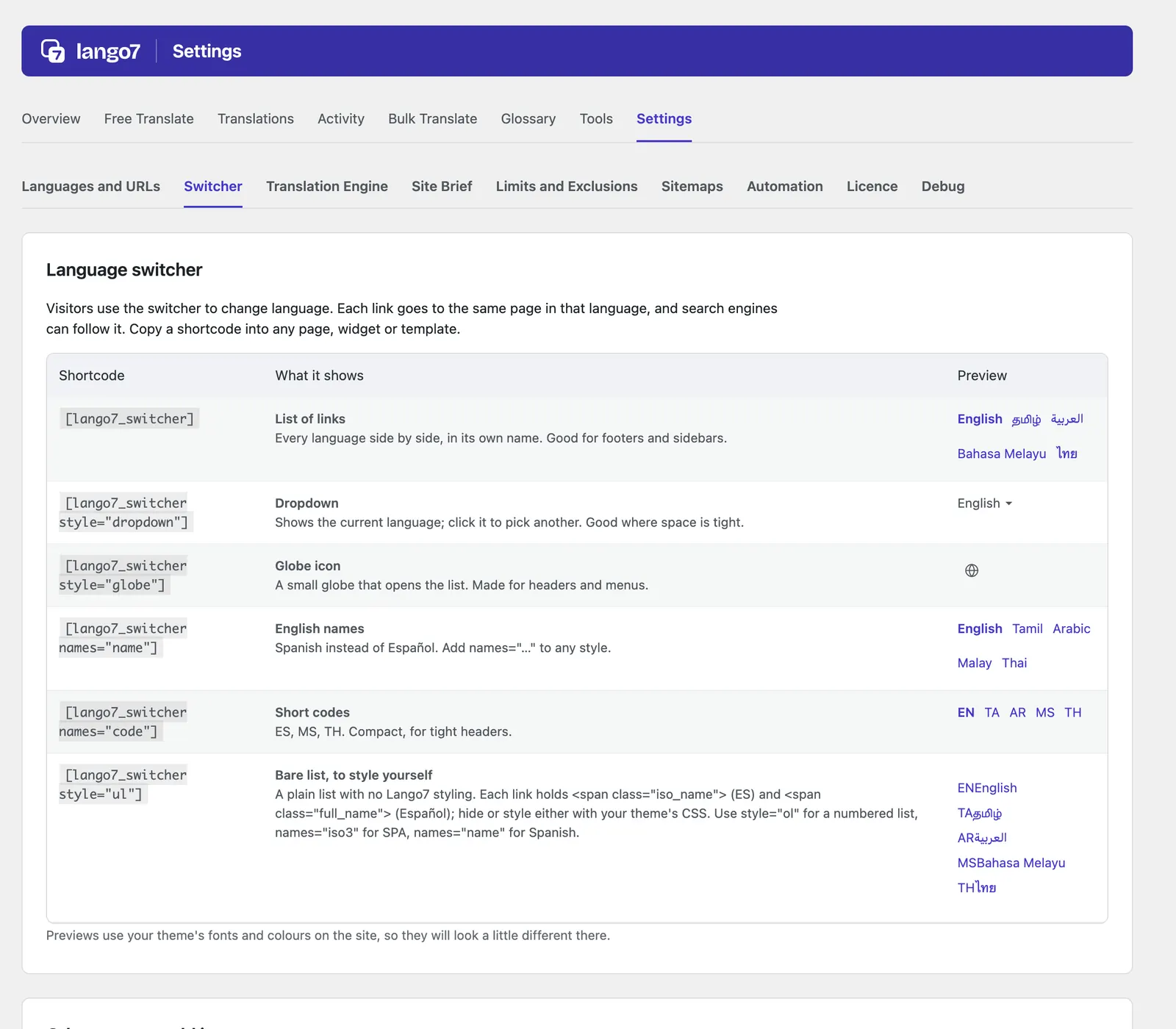
: every language side by side, in its own name. Good for footers and sidebars.: shows the current language; click it to pick another.: a round globe button that opens a card of languages, with the current one highlighted. Made for headers and menus.names="name"shows English names (Spanish instead of Español);names="code"shows short codes (ES, MS, TH). Add either to any style.style="ul"orstyle="ol": a plain list with no Lango7 styling, to style with your theme’s CSS.
Other ways to add it
- Block editor: add the Language Switcher block and choose its style.
- Menu: Appearance → Menus, then add it from the Language switcher box. It takes your theme’s menu style.
- Bricks: add the Language Switcher element.
- PHP:
<?php lango7_switcher( array( 'style' => 'globe' ) ); ?>
Bagus untuk diketahui
- The dropdown and globe close when you click outside them or press Escape. They still open and close without JavaScript.
- Previews in Settings use the admin styles. On your site the switcher takes your theme’s fonts and colours.
- Draft languages (Pro) are left out of the switcher until they go live.