A Draft language can be added, translated and checked while visitors can’t see it. Turn Draft off when it is ready.
Make a language Draft
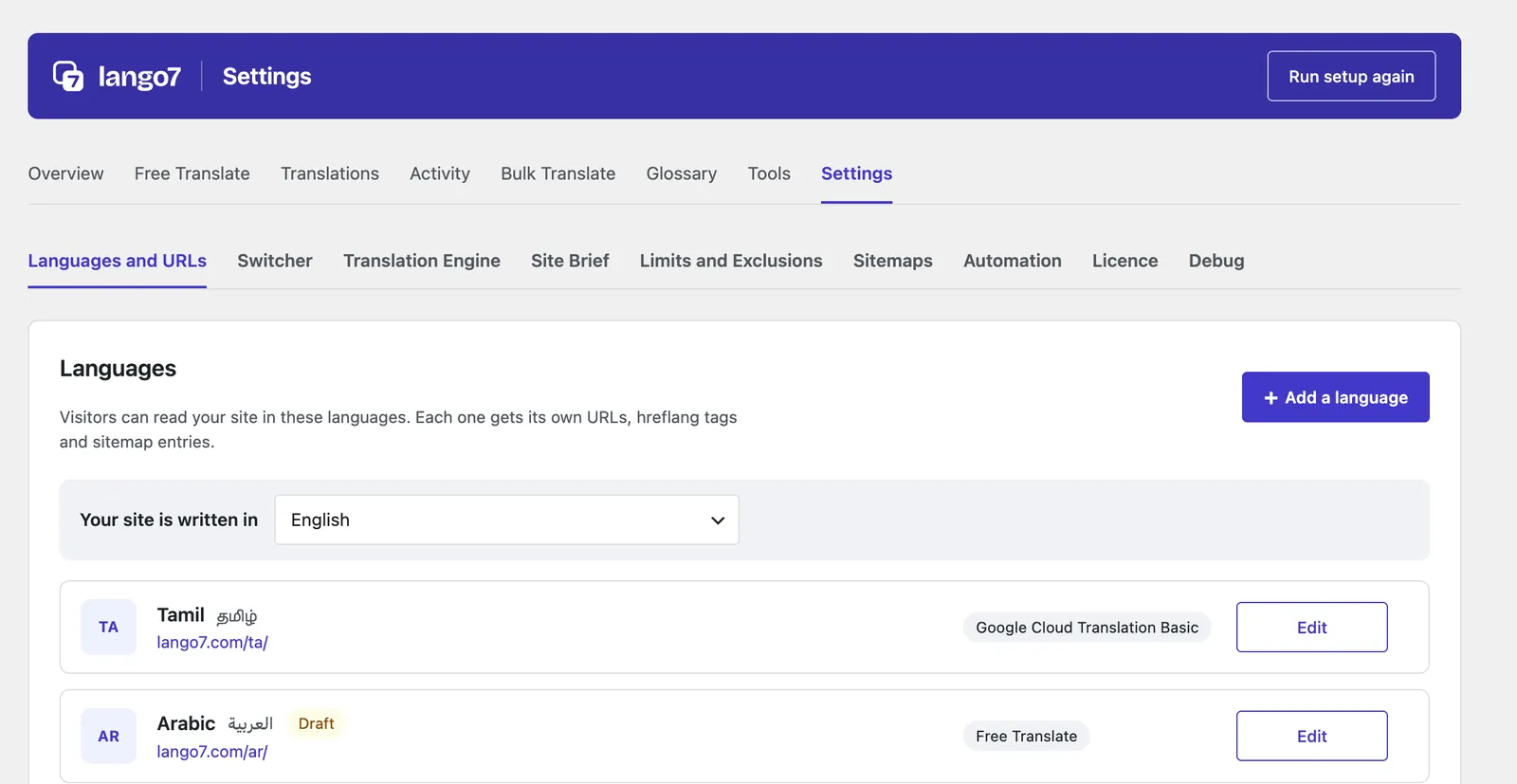
- Go to Translate → Settings → Languages and URLs.
- Click Edit next to the language and tick Draft.
- Click Save settings. The language shows a Draft tag.
Who can see it
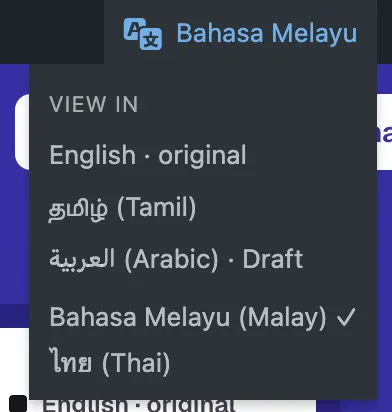
Administrators, editors and that language’s translators. On the site, the admin bar’s language menu lists it with Draft, so they can open any page in it.
What everyone else gets
- Visitors who open a Draft language address are sent to the original page.
- It is left out of the language switcher, menus, hreflang tags and sitemaps.
- Its pages are marked noindex, nofollow, so search engines don’t list them.
Go live
Untick Draft and save. The language appears in the switcher and sitemaps straight away. If Pro is deactivated, Draft languages become public.