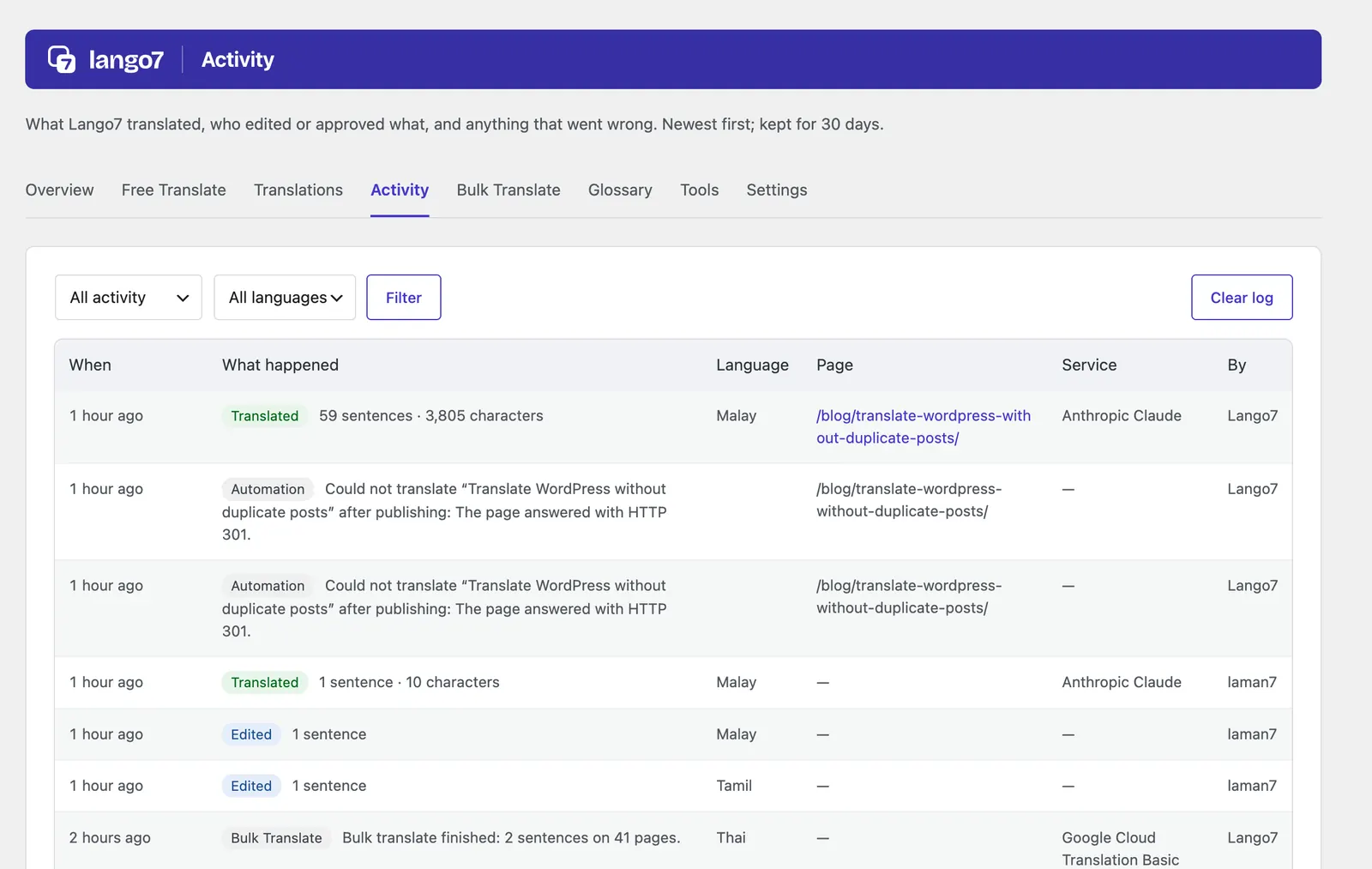
Translate → Activity lists what Lango7 did, newest first: what was translated, by which service, who edited or approved what, and anything that went wrong.
What each row shows
- Translated: how many sentences and characters, the language, the page and the service.
- Edited and Approved: changes made by a person, with their name.
- Failed: a sentence the service could not translate. It stays in your own language and the rest of the page is translated. Click Review to see it in Translations.
- Error: a problem with the service, such as a refused or unexpected reply.
- Bulk Translate and Automation (Pro): when a run finishes, or when a page could not be translated automatically.
The same action on the same page, language and service within 2 minutes is merged into one row, so the log stays short.
Filter and clear
- Filter by type of activity and by language.
- Rows are kept for 30 days. Clear log empties it.
- Developers can change how long rows are kept with the
lango7_activity_daysfilter.
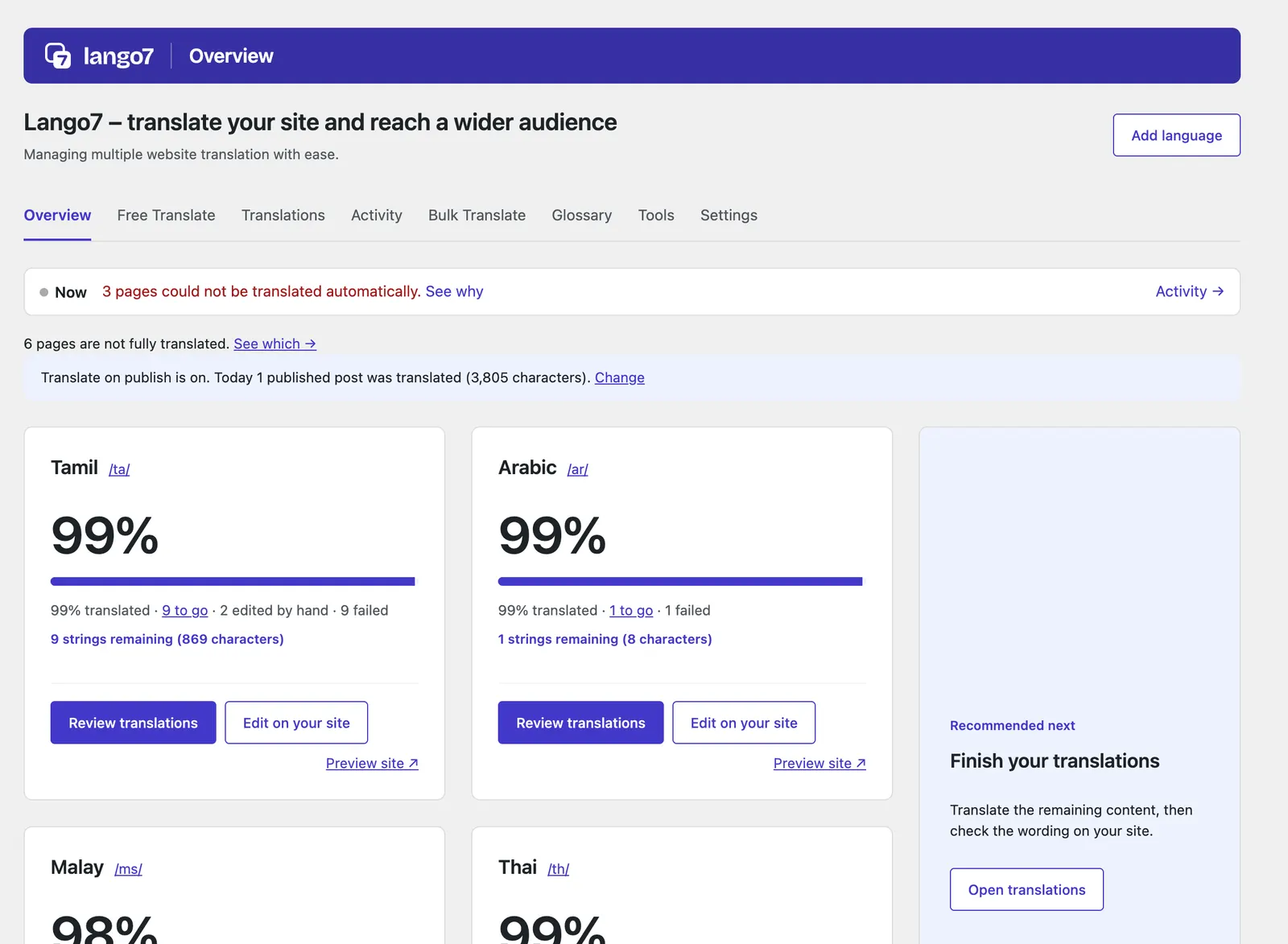
On the Overview
The Overview card for each language shows how much is translated and how many sentences are left. Click to go to see exactly which ones. With Pro, a Now line at the top shows what is running and links to Activity.