With Lango7 Pro and your own DeepL, Google, OpenAI, Claude or Gemini key, you pay for the characters you send. Here’s how to keep that bill small.
You only pay once per sentence
Every translation is saved in your database and reused. Your header, footer and menus are translated once for the whole site. Translating again only sends new or changed text.
The recipe
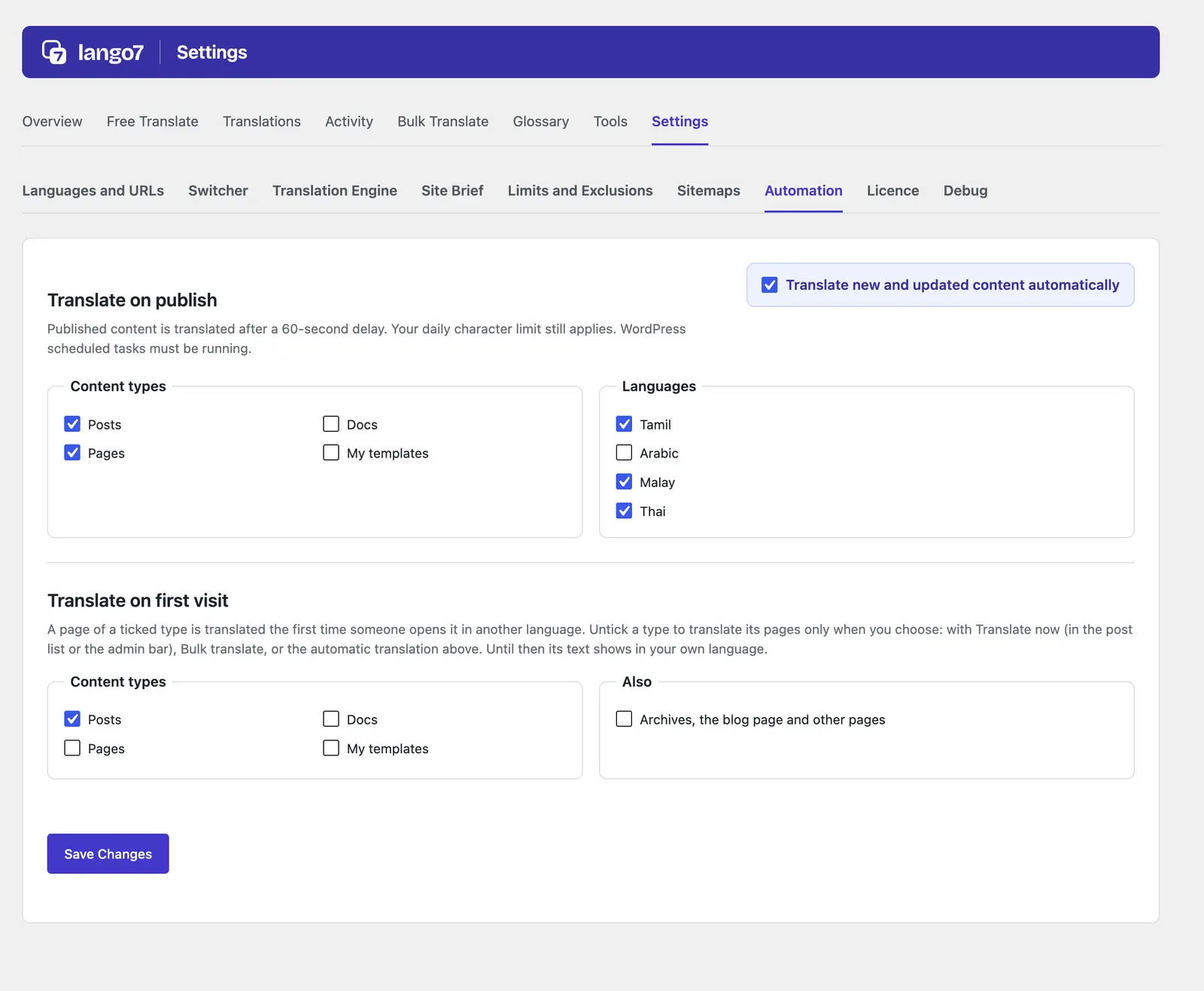
- Hold back what can wait. In Settings → Automation, untick post types under Translate on first visit, for example Posts.
- Translate key pages first. Use Translate → Bulk translate with a list of URLs: homepage, product and service pages, landing pages.
- Then your most-read posts. Take the list from Google Analytics or Search Console.
- Set a daily limit so nothing runs away.
- Translate the rest later, or turn first-visit translation back on.
Cheaper mixes
- Use a different service per language.
- Keep Free Translate (Chrome) for languages it handles well.
- Hybrid mode: Google for everything, an AI service only for the post types you choose.
- Add brand names to the glossary so they’re never sent.