Bulk translate shows the price before anything is sent.
Steps
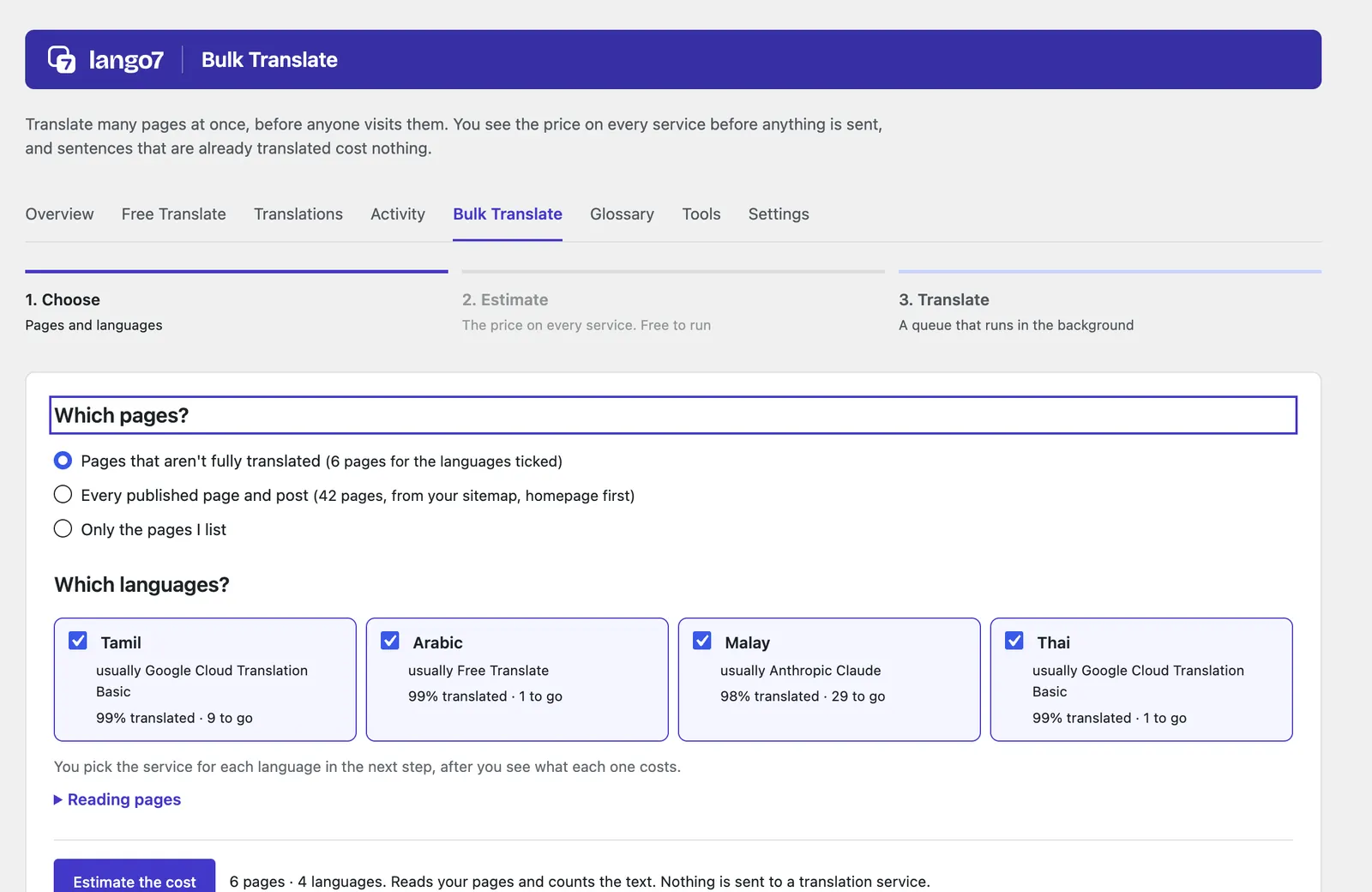
- Go to Translate → Bulk translate.
- Choose the pages: Pages that aren’t fully translated (the default, with a live count for the languages you tick), every published page and post, or only the pages you list. Each language card shows how much is translated and how many sentences are left.
- Estimate: Lango7 reads the pages and shows sentences, words, characters and the price on every service you’ve set up, side by side.
- Pick a service per language, or leave a language out.
- Add to the queue. It runs in the background; you can pause and continue.
Good to know
- Running the estimate costs nothing.
- Text that’s already translated isn’t counted or sent again.
- Pages read in the last 2 days are reused, so a second estimate is quick.
- If a run is paused, for example at your daily limit, a banner on the first two steps shows how many pages are left, with Resume and Cancel.
- Finished runs are listed in Activity.