I wanted a free DeepL API key so I could test DeepL translations on WordPress without paying anything. Getting the key was easy. Working out what it covers took more reading, because the free plan has changed its name and its rules. I checked everything below on 22 November 2026.
In short
- The free DeepL API plan is now called Developer. It gives you a one-time credit of 1 million characters, and DeepL says no credit card is needed.
- The older DeepL API Free plan, with 500,000 characters a month, can no longer be bought, according to DeepL’s help page.
- A free key ends in
:fx. You paste it into Lango7 Pro under Translate → Settings → Translation Engine.- The credit does not renew. When it runs out you pay DeepL or switch to another engine.
What “DeepL API free” means now
Search for DeepL API free and you will find two plans described as free. DeepL API Free gave 500,000 characters every month. DeepL’s help page now says that plan can no longer be purchased. The free plan you can sign up for today is called Developer.
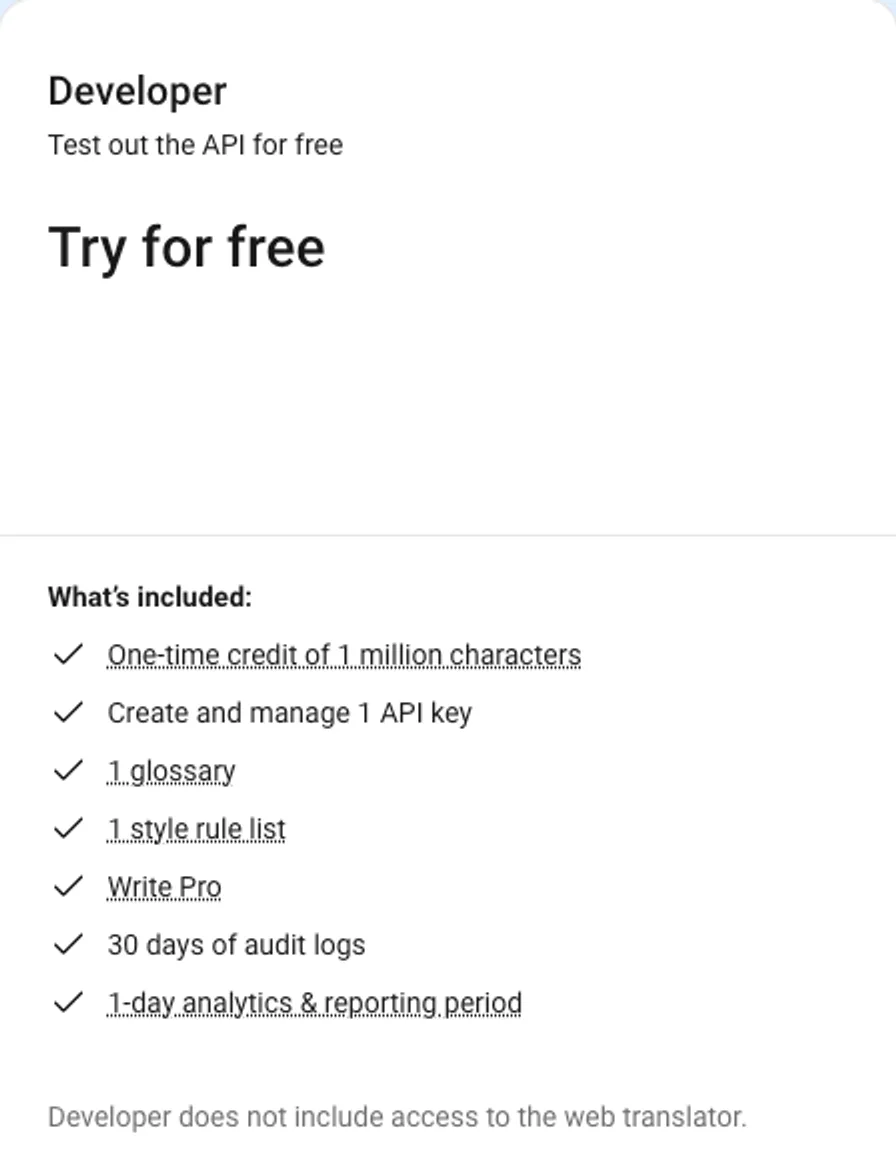
Developer includes a one-time credit of 1 million characters, one API key, one glossary and one style rule list. DeepL’s help page says the limit does not reset once it is used, and that you then need the Growth plan.
A DeepL API key is also separate from a DeepL Translator subscription. The Developer plan does not include the web translator, so paying for one does not give you the other.
How I got my free DeepL API key
I already had a DeepL account, so I did not go through the sign-up screens again. DeepL’s developer page says the free plan needs no credit card. These are the steps, done in Chrome.
- Open deepl.com/pro and choose the API tab. On the Developer card, click Sign up for free.
- Create an account, or log in, and confirm your email if DeepL asks.
- Open Account → API Keys & Limits. Your key is listed there, and the copy icon beside it copies it.
- Check that the key ends in
:fx. That ending marks a free key, and Lango7 uses it to tell a free key from a paid one. - Open the Subscriptions tab to confirm the plan. Mine shows API Developer, a fee of Free and 1,000,000 characters included.
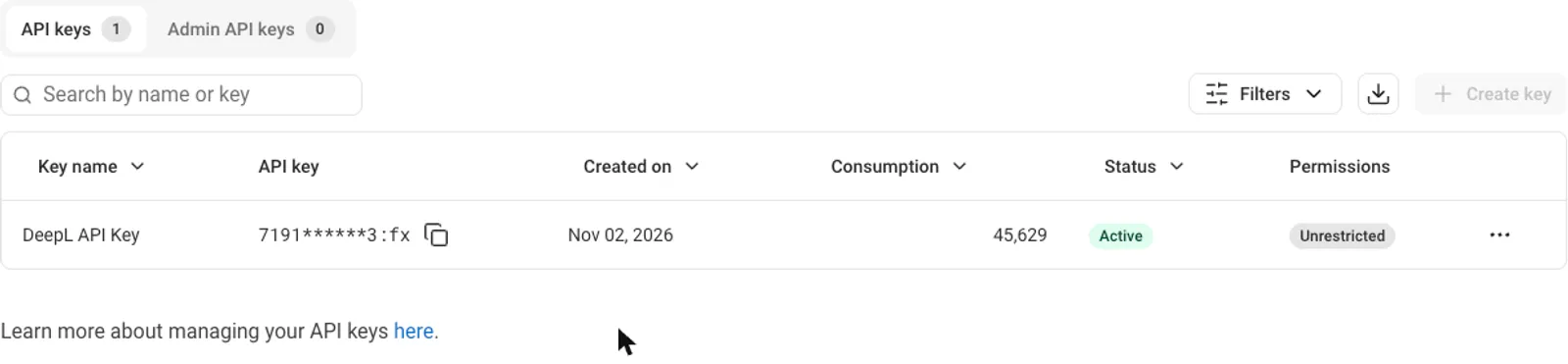
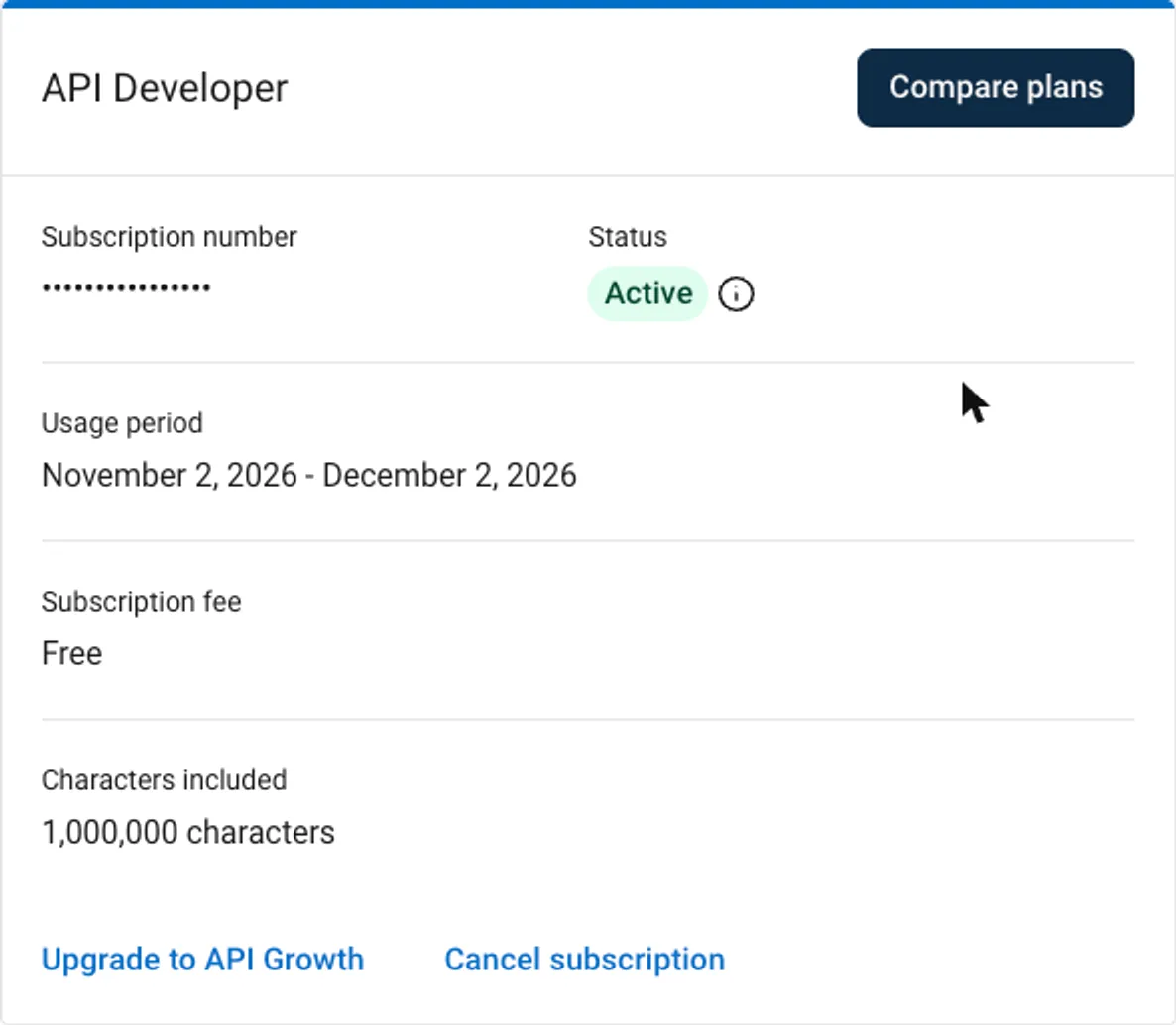
The Create key button is greyed out on my account, because the plan allows one key. You cannot make a spare, so keep the key private like a password. Anyone who has it can spend your credit.
Test the free DeepL API key with curl
If you are a developer, you can test the key before you put it anywhere. A free key must call api-free.deepl.com. Paid keys call api.deepl.com, so use the address that matches your key. Paste your whole key, including the :fx ending, in place of YOUR_API_KEY.
curl -X POST https://api-free.deepl.com/v2/translate \
  --header "Authorization: DeepL-Auth-Key YOUR_API_KEY" \
  --header "Content-Type: application/json" \
  --data '{"text": ["Hello, world!"], "target_lang": "DE"}'
DeepL replies with the German text and the language it detected. That test sentence is 13 characters, so it costs almost nothing from the credit.
Using the free key while you build a site
For a staging or development site, 1 million characters goes a long way. Lango7 sends each sentence once and saves the translation in your database, so repeat visits cost nothing. Your header, footer and menus are translated once for the whole site.
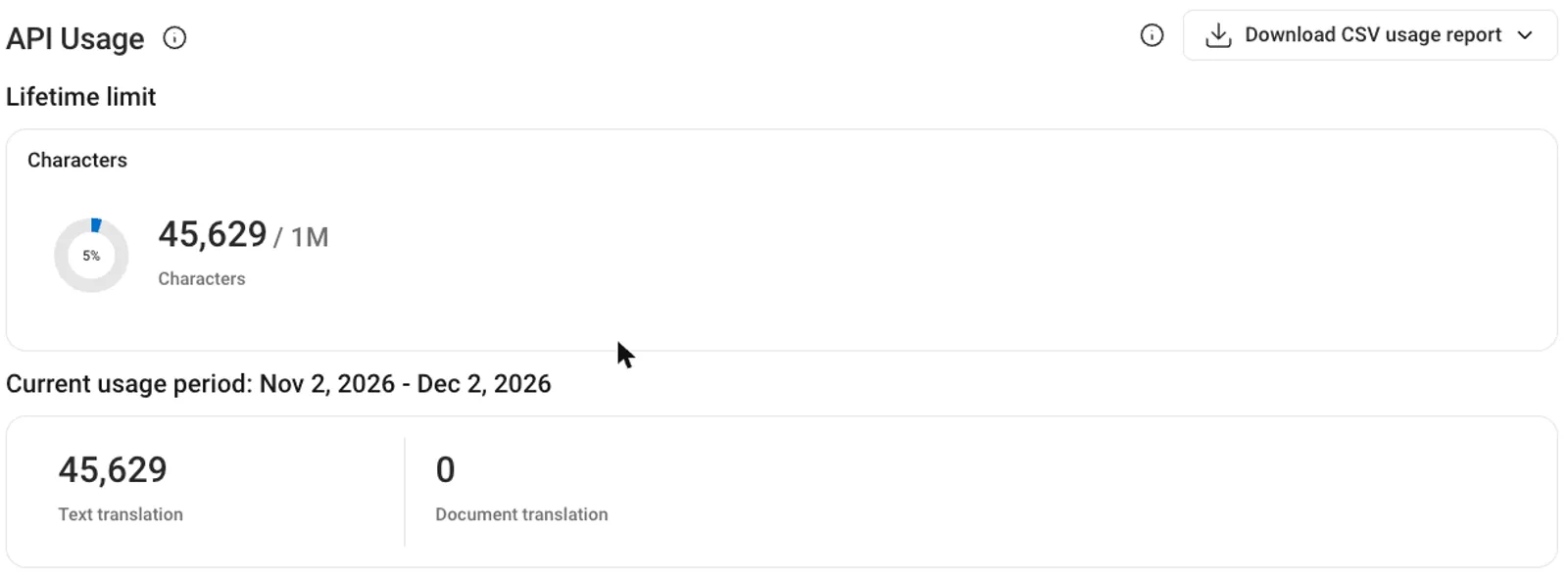
DeepL shows your usage under API Usage. Mine says 45,629 of 1,000,000 characters used since I created the key on 2 November, which is 5% of the credit.
To see what a run will use before you start it, open Lango7’s Bulk translate and read the Estimate step. It lists the characters first. I would also keep Lango7’s daily limit low while testing. The default is 200,000 characters a day, and at that rate the free credit would be gone in five days.
Using it on a real site
On a live site the question is how often your content changes. Every new or edited sentence is paid for from a credit that does not refill. A small brochure site with one extra language can live on it for a long time. A shop or a blog that publishes every week in several languages will not.
When the credit runs out, DeepL refuses new requests. Lango7 stops the job, the untranslated sentences stay in your own language, and the translations you already saved keep showing. After that you have three choices: DeepL’s Growth plan, another engine for that language, or leaving it as it is. The pricing section below compares Growth with Developer.
DeepL API pricing: Developer vs Growth
Growth is the paid plan to move to. It costs $26 a month billed annually, or $32.50 billed monthly, and extra characters are $27.50 per million. I saw those prices in US dollars, and they may differ in your region.
| Developer (free) | Growth (paid) | |
|---|---|---|
| Price | Free | $26 a month billed annually, or $32.50 monthly |
| Characters | 1,000,000 in total, one time | 12 million a year on annual billing, 1 million a month on monthly billing |
| Extra characters | Not available | $27.50 per million |
| API keys | 1 | Up to 10 |
| Glossaries | 1 | 2,000 |
| No data training | Not listed | Listed |
Using DeepL with Lango7 in WordPress
DeepL is one of the engines in Lango7 Pro. Lango7 Free uses Chrome’s built-in translator and needs no key at all. With Pro you add your own key, and you pay DeepL directly or use the free credit.
- Install and activate Lango7 Pro.
- Go to Translate → Settings → Translation Engine and paste the key into the DeepL box.
- Click Test and save. Lango7 sends a short test sentence and saves the key only if it works.
- Go to Translate → Settings → Languages and URLs, click Edit on a language and choose DeepL under Translated by.
- Open Translate → Bulk translate, check the estimate, then run it.

Lango7 has its own glossary, so DeepL’s one-glossary limit does not stop you keeping brand names untranslated. The DeepL key guide, See the cost before you translate and Set a daily character limit cover the same steps in more detail. If you are still choosing a translation plugin, Translate WordPress without duplicate posts explains how Lango7 differs from plugins that copy every page.
The weaknesses
- The credit is one-time. When the 1 million characters are gone, they are gone, and the old monthly plan is closed to new customers.
- You get one API key, one glossary and one style rule list.
- DeepL lists “No data training” under Growth and Enterprise, but not under Developer. If you translate private or client content, read DeepL’s terms before you send it.
- DeepL follows no instructions. Lango7’s note on DeepL says it reads your Site brief as background, and tone only switches between formal and informal in some languages. An AI engine such as Claude or OpenAI follows the brief more closely.
- Not every language is covered. On my own site, Lango7 greys out DeepL for Tamil and says DeepL cannot translate it. Check your languages before you rely on it.

Is it worth using?
I would use the free key to see how DeepL reads my own pages next to Google and Claude, then decide. I have not run a side-by-side test for this post, so I cannot tell you DeepL wins. If its wording is better in a language I care about, I would move to Growth for the volume. If all I needed was a cheap bulk pass, Google Cloud Translation Basic costs about USD 20 per million characters.
DeepL API free: common questions
Is the DeepL API really free?
Yes, the Developer plan costs nothing and includes a one-time credit of 1,000,000 characters. The credit does not renew, so it is free only until you use it.
Does the free DeepL API need a credit card?
DeepL’s developer page says no credit card is needed for the free plan.
Is the old DeepL API Free plan still available?
DeepL’s help page says the DeepL API Free plan, with 500,000 characters a month, can no longer be purchased. The free option today is the Developer plan.
What does the :fx at the end of my DeepL API key mean?
It marks a free key. Free keys call api-free.deepl.com, and paid keys call api.deepl.com.
Is the DeepL free API enough for a WordPress site?
It is enough to test one. For a live site it depends on how often your content changes, because every new or edited sentence uses characters from a credit that does not refill. Lango7 Pro can use your DeepL key, and Lango7 Free does not use DeepL at all.
Try DeepL with Lango7 Pro
Add your own DeepL key, pick it per language and see the cost before anything is sent.
Sources
- DeepL API plans: what each plan includes, and which ones can no longer be bought.
- DeepL pricing, API tab: the Developer, Growth and Enterprise plans.
- DeepL for Developers: getting a key with no credit card.
- Get a DeepL API key: the short version, in our docs.